
Shipping RAG systems that people actually use


Created Date
26 Nov, 2024
INTRODUCTION
Retrieval-augmented generation (RAG) has become the default pattern for “AI over your data.”
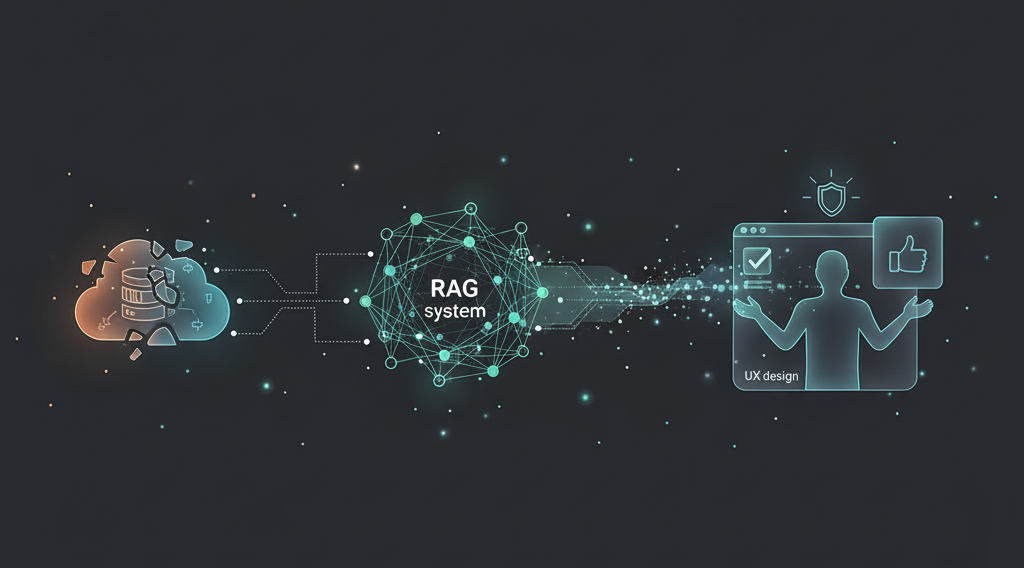
But if you’ve tried to ship one in production, you know the hard part isn’t wiring up an embedding model and a vector database.
The hard part is getting busy people to trust it and keep coming back.
At Arctura AI, we’ve seen the same pattern across internal tools, SaaS products, and enterprise pilots: most RAG prototypes “work” in a demo, but fall short in real workflows. This article summarizes what we’ve learned about shipping RAG systems that people actually use.
1. Why many RAG pilots fail
Most underperforming RAG systems share a few common symptoms:
- Good at easy questions, bad at the ones users truly care about
- Hallucinations when the answer isn’t in the data, or when retrieval silently fails
- Slow response times, especially on long documents or complex queries
- No clear way to trust the answer – citations are missing, or don’t match the text
- No feedback loop to learn from real usage and fix blind spots
Under the hood, these problems are usually not about the LLM itself. They come from three places:
- A vague understanding of who the user is and what they’re trying to do
- Weak or naïve retrieval & data modeling
- Lack of measurement, guardrails, and iteration
Let’s go through how to address each one.
2. Start from users, not embeddings
Before choosing a vector DB, spend time on very old-fashioned things:
- Who is the user?
Analyst, customer support agent, sales, legal, operations… They ask different questions. - What decisions are they making with the answer?
Quick triage vs. formal report vs. investment decision. - What’s the cost of being wrong?
“Might be wrong but helpful” vs. “must be precise and auditable.” - What does “better than today” look like?
Faster search? Fewer manual steps? Less copy-pasting into Excel?
Write down 10–20 real questions from real users.
These become your north star and your first evaluation set.
Example (investment RAG):
- “How did company X’s gross margin change year-over-year?”
- “Where does the company discuss risks related to regulation?”
- “What are the key drivers management cites for next quarter’s guidance?”
If your system can reliably answer these, it’s already valuable.
3. Make retrieval strong before you obsess over prompts
A lot of RAG stacks spend 90% of the time on prompts and very little on the retrieval layer. In practice, if the right passages aren’t retrieved, no prompt will save you.
Key decisions:
3.1 Model the data with the user questions in mind
- Mix unstructured text (reports, wikis, PDFs) with
semi-structured (tables, bullet lists) and metadata (dates, source, document type). - Normalize document types and fields so you can filter:
e.g.10-K vs earnings call vs internal note,language,time period.
3.2 Chunking and context windows
Chunking is where many systems quietly fail.
- Use semantic or section-based chunking where possible (by headings, sections, list items), not just “every 500 tokens.”
- Store overlapping context so important sentences at boundaries aren’t lost.
- For tables, consider table-aware chunking:
keeping a row or a small group of rows together rather than cutting mid-row.
3.3 Hybrid retrieval and reranking
For most non-trivial use cases, we’ve found that hybrid retrieval works best:
- Dense embeddings for semantic similarity
- BM25 / keyword search for exact entities, numbers, tickers, acronyms
Combine them, then rerank candidates with a stronger cross-encoder or LLM-based reranker.
The goal is simple: for your evaluation questions, the correct passage should appear in the top K (usually K=5–10) most of the time.
4. Design the experience to be trustworthy
Even with good retrieval, UX can make or break adoption.
4.1 Always show the evidence
- Display source snippets and document names alongside the answer.
- Let users expand “Show sources” to see the full paragraph or table.
- Make it trivial to click into the original doc in its native system if needed.
Users should feel like:
“The model is summarizing my documents, not hallucinating facts out of thin air.”
4.2 Handle “I don’t know” gracefully
Teach the model when to say it doesn’t know:
- If no retrieved chunk passes a relevance threshold
- Or if the user asks for something outside the indexed corpus
Fallback responses like:
“I couldn’t find a reliable answer in the current document set. Here’s what I did search…”
are much better than a confident hallucination.
4.3 Optimize for iteration speed
Users will often refine their query multiple times. Make that loop fast:
- Keep chat history and allow follow-up questions that reuse context.
- Provide suggested follow-up prompts based on the current answer.
- Cache expensive retrieval steps when possible.
5. Measure quality like an engineer, not just “vibes”
To improve a RAG system, you need more than “it feels good to me.”
5.1 Offline evaluation
From the user questions you collected earlier, build a small test set:
- Each entry: question → ideal answer → evidence span(s)
- Use it to compute metrics such as:
- Recall@K / Hit@K: does the correct passage appear in top K chunks?
- Answer correctness: human-labeled or model-graded
- Citation accuracy: does the answer actually match the cited snippets?
- Latency: P50 / P95 end-to-end response time
You don’t need thousands of examples to start. Even 30–50 well-curated examples are extremely useful.
5.2 Online feedback
Once launched, capture:
- Thumbs up / down on answers
- Which sources people click
- Where they rephrase or abandon the conversation
- Common queries that consistently fail or cause long latency
Use this to:
- Add or clean up data sources
- Improve retrieval filters / chunking
- Adjust prompts and answer formatting
6. Balance performance, latency, and cost
In production, the “best” RAG system is rarely the one with the largest model.
We’ve had success with a layered approach:
- Use smaller / faster models for:
- Query rewriting & classification
- Initial retrieval & reranking
- Use stronger models only where they matter most:
- Final answer generation
- Complex reasoning or formatting tasks
Also consider:
- Caching embeddings and partial results
- Using cheaper regions / storage where latency allows
- For some workloads, mixing API LLMs with self-hosted / open-source models
The result: production-grade performance at a cost the business is happy to scale.
7. Treat RAG as a product, not a one-off feature
The most successful RAG launches we’ve seen share one mindset shift:
It’s not “we added AI to our product.”
It’s “we are continuously evolving an AI assistant that sits on top of our data and workflows.”
That means:
- A clear owner on the product side
- Regular check-ins with real users
- A backlog of improvements informed by usage and metrics
- A willingness to retire or reshape features that don’t land
When you treat RAG as a living product, not a demo, adoption follows naturally.
Closing thoughts
Shipping a RAG system that people actually use is less about fancy architecture diagrams and more about:
- Deeply understanding who you’re helping and what they’re trying to do
- Investing in strong retrieval and data modeling
- Designing for trust, speed, and iteration
- Measuring and improving over time
If you’re exploring how RAG could fit into your product or internal workflows, we’re always happy to talk—whether you’re at the “idea on a slide” stage or already running a prototype in production.


.svg)
.svg)
.svg)
.svg)

.svg)
.svg)